


































Windows 11 Adds AI Agents to Organize Files and Boost Productivity
Microsoft is integrating autonomous AI agents into Windows 11 through the new Agent Workspace feature. These agents run in the background with access to personal files (Documents, Pictures) to automate tasks and enhance productivity, marking a major push towards an AI-native OS.

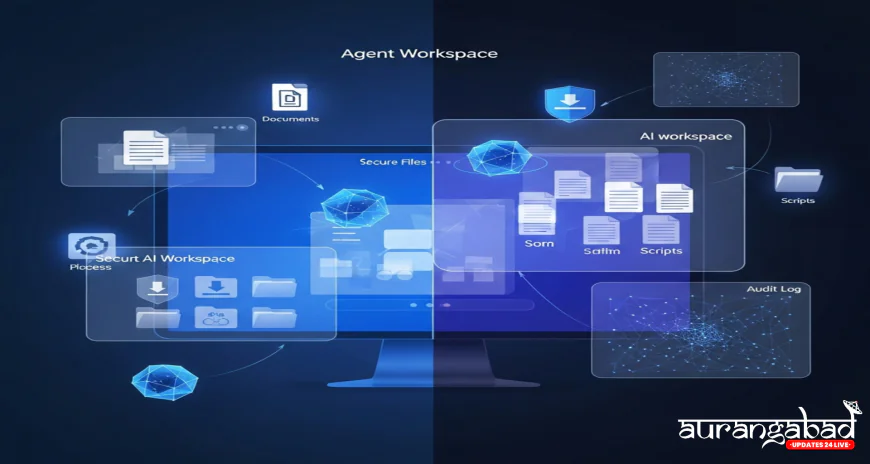
Microsoft's Windows 11 Launches AI Agents: Automating File Organization and Boosting Productivity
Microsoft is taking a monumental leap in the evolution of its operating system by introducing autonomous AI agents directly into Windows 11. This ambitious, experimental feature, known as Agent Workspace, is designed to run intelligent agents in the background, capable of accessing and managing local files to automate tedious tasks and significantly boost user productivity.
This move underscores Microsoft's determination to transform Windows 11 into a truly AI-native operating system, where artificial intelligence is not just a chatbot but an active, invisible partner in the daily computing routine.
Understanding Agent Workspace
Agent Workspace is essentially a separate, contained Windows session specifically dedicated to running these AI agents. This design ensures that the agents operate independently, without disrupting the user's main desktop or ongoing work. Key aspects of how this new feature functions include:
-
Isolated Environment: Each AI agent runs in its own distinct, separate environment, complete with its own account, desktop, permissions, and runtime. This separation is crucial for stability and control.
-
Parallel Execution: The agents can perform tasks—such as opening applications, managing folders, or running scripts—all in parallel with the user’s regular workflow. You can continue writing a report while the agent organizes your Downloads folder in the background.
-
Scoped File Access: For the agents to be effective, they require access to key personal folders, which Microsoft terms "Known Folders" (Documents, Desktop, Pictures, Music, and Videos). The agents are given permission to read and write to these locations.
The Role of AI in File Management
The primary goal of these AI agents is automation and enhanced productivity. They are expected to take over repetitive, low-value tasks that typically drain human time and effort. Examples of tasks AI agents can now handle autonomously include:
-
Document Organization: Automatically sorting newly downloaded documents into relevant, user-defined subfolders.
-
Media Library Management: Tagging and categorizing photos based on context, people, and location.
-
Routine Creation: Running scheduled scripts to clean up temporary files or create weekly project summaries.
Microsoft emphasizes that this design enhances workflows, allowing engineers and general users to focus on high-impact work.
Security and User Control: The Isolation Model
Integrating AI agents with direct access to personal files inherently raises security and privacy concerns. Microsoft has addressed this by building the Agent Workspace with security and transparency at its core:
-
Auditable Actions: Microsoft insists that all actions performed by the AI agents are auditable and controlled. Users maintain visibility over what the agents are doing and can adjust permissions as required.
-
Isolation over Sandboxing: While Agent Workspace may appear similar to Windows Sandbox, a feature that creates a fully isolated virtual environment and deletes all activity upon closure, the two differ significantly. AI agents need to access and persist changes in personal folders, requiring a balanced approach that provides access while ensuring actions are individual and monitored.
-
Scoped Authorization: Each agent's permissions are customized and scoped individually. One agent's access to the Pictures folder, for instance, does not automatically grant a second agent access to your Documents.
Currently, this feature is still experimental and is only available to Windows Insiders. Microsoft will rely heavily on user feedback from this beta program to refine the security protocols, prioritize safety, and ensure user trust before launching Agent Workspace to the broader public. The future of Windows is autonomous AI, but that future must be built with transparency and robust security mechanisms.